Most GCC restaurant and café owners treat their Google Business Profile photo set as a brand exercise: upload the logo, add a few professional shots from the last photoshoot, and move on. Google treats photos as something different — a relevance signal, a freshness signal, and a behavioral trigger that directly affects whether a searcher clicks your listing or the one below it. Those two views produce very different photo sets, and the gap between them is quietly costing most F&B businesses in the region real foot traffic every week.
The first 3 photos Google shows — and how to control them
Google selects which photos appear at the top of your Business Profile based on its own quality and relevance assessment, not based on the order you uploaded them or the one you designated as the "cover photo." The cover photo designation matters less than most owners think — Google will override it with a photo it judges to be more engaging for the specific search context.
In practice, Google tends to surface three content types at the top of an F&B profile: the exterior (so searchers can recognize the location), the best food image (to trigger appetite and relevance), and the interior (to set expectations about the atmosphere and capacity). For restaurants and cafés in the GCC, these three images carry an outsized share of the impression-to-click decision. A searcher scanning results on Google Maps makes that decision in roughly two seconds, and these three photos are what they see.
The practical implication: you cannot directly tell Google which three photos to use at the top, but you can make the choice obvious by ensuring those three content types are represented by your single best image. A sharp, well-lit exterior shot taken in daylight. The dish you want to be known for, photographed with professional lighting and a clean background. The dining room at genuine peak occupancy, not staged with empty tables.
The Saudi-specific problem that undermines this for many cafés in Riyadh and Jeddah: the interior photos look identical to every other café in the city. The same wood-panel walls, the same pendant lighting, the same arrangement. When Google surfaces a generic interior shot for your profile, it gives a searcher no reason to choose you over the next listing. The fix is not a more expensive photoshoot — it is a more distinctive frame. A detail shot of your signature table arrangement, your branded glassware, your view from the window at golden hour. Something that is yours and only yours.
What to upload, in what order
The 12-photo starter set, in the upload sequence that matters most:
- Exterior daytime — clean, full facade, taken when the signage is fully visible and the entrance is clear. This is Google's first candidate for location recognition.
- Exterior at night — the same facade with your lighting, neon, or exterior décor visible. Night and daytime exteriors serve different searchers (lunch vs dinner intent).
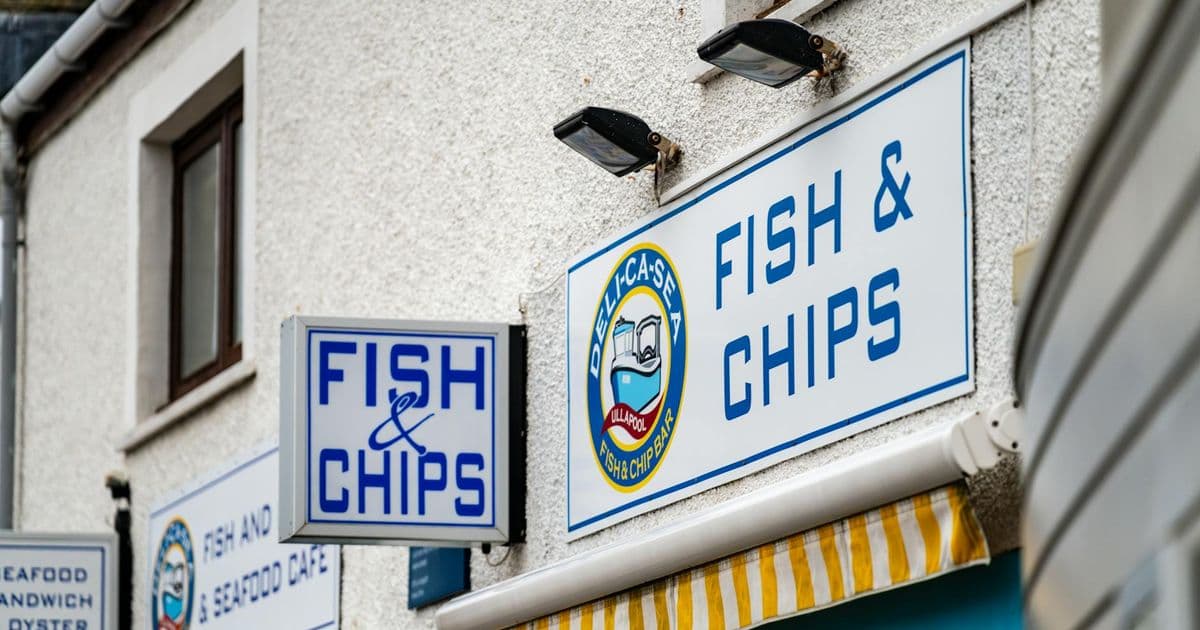
- Storefront with sign — a tighter shot where the business name is clearly readable. Google uses this for disambiguation in dense areas where multiple businesses share a building or a block.
- Interior wide shot — the full dining room or café floor at its best, with natural or professional lighting. No empty tables staged to look full; no clutter.
- Signature dish #1 — your single best-performing menu item, photographed at its most appealing. This image should be worth pausing for.
- Signature dish #2 — a second hero item, preferably one that targets a different occasion or customer type than dish #1 (e.g., a family-sharing platter alongside a solo lunch item).
- Signature dish #3 — a third food image that rounds out the range — dessert, a drink, a seasonal special.
- Team in action — staff behind the counter, at the grill, arranging plates, greeting a table. This humanizes the profile and performs strongly in markets where hospitality trust matters, which in the GCC means everywhere.
- Packaging and branded boxes — for any business with takeaway or delivery volume, packaging photos reinforce the delivery channel and perform well in delivery-intent searches.
- The receipt corner or table detail — a close shot of the branded check presenter, the table number holder, or the coffee cup with your logo. Small detail, strong brand signal.
- A menu page — not a full menu scan, but one page showing your best section, photographed cleanly (not a PDF screenshot — see the next section).
- A second interior angle — a different perspective of the space: bar area, a private dining corner, the coffee station, the view from a specific table.
The order matters because Google's system indexes photos roughly in the sequence they are uploaded. The first images you submit establish the initial content map of your profile. Uploading the most important content types first gives Google more time to assess and surface them.
What to NEVER upload
Each of these is a common mistake in GCC F&B profiles and each has a cost:
Photoshopped food. Dishes with digitally enhanced colors, unrealistic sheen, or AI-generated styling look wrong to anyone who has eaten real food. Customers who visit after seeing an edited photo feel deceived. That feeling produces the exact reviews you do not want.
Stock photos. Google has systems to detect commonly licensed images, and stock photos that appear across multiple profiles are treated as lower-quality signals. More practically, stock food photography rarely matches the actual food — the disconnect erodes trust.
Photos with watermarks. Watermarked images from photographers or agencies display as unprofessional. Google's image quality assessment downgrades them, and searchers skim past them.
Photos with logos or brand overlays burned in. A dish photo with your restaurant's logo printed in the corner is not a food photo — it is an ad. Google's systems treat it as lower-engagement content, and users scroll past it faster than clean food photography.
Photos with prices burned into the image. This is common in GCC promotional content — a photo of a dish with "SAR 45" overlaid in large text. Google actively demotes profiles that use this format because prices change, and a photo with an outdated price creates a poor user experience. If you want to communicate pricing, use the Services or Menu section of your profile, not the photo gallery.
Photos taken from the menu PDF. Low-resolution, often distorted, frequently washed-out. A PDF screenshot of your menu does not represent the food — it represents the menu. Use it in the menu section, not the photo gallery.
Photo freshness as a local rank signal
Google treats the recency of uploaded photos as a proxy for how actively a business manages its profile. A profile with its last photo uploaded 18 months ago signals to Google that the business may be less active, less engaged, or possibly closed. That inference — even when wrong — affects where the profile ranks.
The minimum cadence for an active F&B profile in the GCC is one new photo per month. This does not need to be a professional shoot. A good smartphone photo of a weekly special, a new staff member, a seasonal decoration, or a table arrangement taken in decent natural light does the job. The point is recency, not production value.
Customer-uploaded photos count toward the freshness signal as well and carry additional weight because they represent third-party validation. The most effective way to increase the volume of customer photos is to ask for them at the moment of highest satisfaction — at checkout, on a printed card at the table, or in a follow-up message via your reservation system. Customers who had a genuinely good experience will photograph and upload if prompted. Most just need the prompt.
For the review responses that accompany this engagement loop, the Taqymat reply generator helps ensure your responses to photo-accompanied reviews reinforce the service and dish keywords that matter most for your category ranking.
Ramadan, Eid, summer, and back-to-school season each create a natural cadence for seasonal photo refreshes. A café that uploads iftar setup photos in late Sha'ban, summer cold-brew imagery in May, and Eid packaging photos before the holiday is running a photo freshness strategy that also matches visual content to seasonal search intent. That is a compounding advantage that most competitors are not running.
What to do next
The fastest version of this: open your Google Business Profile today, go to the Photos section, and count how many photos you have and when the most recent one was uploaded. If you have fewer than 12 photos, or if the last upload was more than 60 days ago, that is your starting point.
For the full GBP optimization picture — categories, review strategy, photo freshness, and profile completeness — see how to choose the right GBP categories for Saudi Arabia and how reply rate affects your Google Maps ranking. Both signals compound with a strong photo set.
When your photo set is in order, the next highest-leverage action is systematic review management. Start with Taqymat to connect your Business Profile and build the engagement loop — photos bring searchers to your listing, reviews and replies keep you ranked once they arrive.